
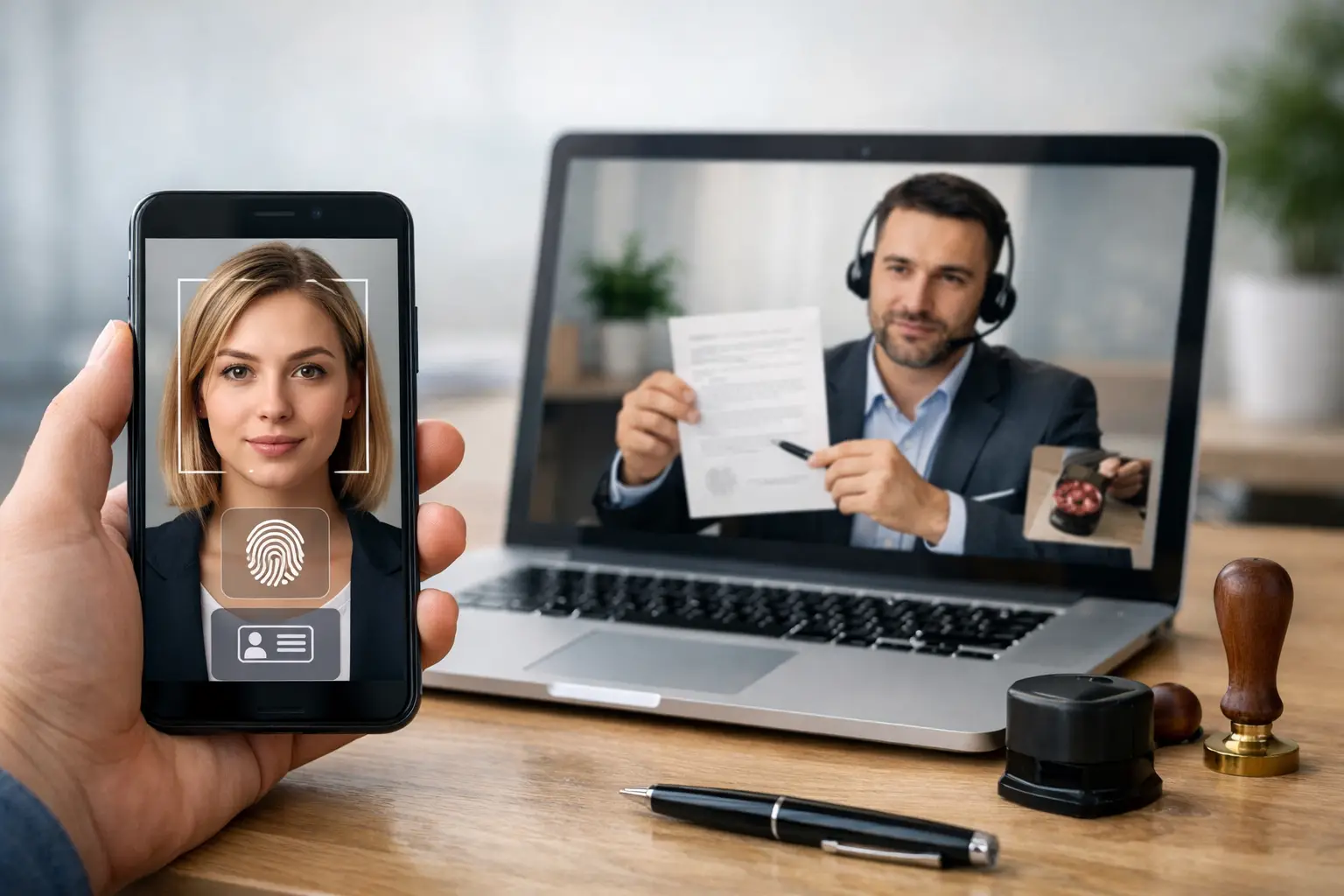
A remote notarization can move quickly until identity verification starts. If your name, ID, or device setup does not match what the system expects, the appointment can stall before the notary even opens the document. That is why knowing how to verify identity for online notarization matters before your session begins.
Online notarization is built around one basic legal requirement: the notary must be confident that the signer is the right person. In a traditional office, that often means checking a physical ID across the desk. In a remote setting, the process uses technology, state rules, and notarial judgment to reach the same goal. The result is more convenient, but it is not casual. The identity check is the foundation of the notarization.
How identity verification works in online notarization
Most remote online notarization sessions use a layered approach. Instead of relying on one quick glance at an ID, the process may combine credential analysis, knowledge-based authentication, and live review by the notary. Each layer serves a different purpose.
Credential analysis usually happens first. You upload or present a government-issued photo ID, such as a driver's license, passport, or state identification card. The platform checks the document for security features, formatting, and signs of tampering. This step is designed to confirm that the ID itself appears legitimate.
Knowledge-based authentication, often called KBA, may come next depending on state requirements and the platform being used. This usually means answering personal history questions generated from public and private data sources. Questions may involve former addresses, vehicle ownership, or financial history. The idea is simple: even if someone has your ID, they may not know enough to pass the quiz.
Then the notary reviews the signer in a live audio-video session. The notary compares the person on camera with the ID, confirms awareness and willingness to sign, and looks for anything that raises concern. Technology does not replace the notary's judgment. It supports it.
What you need to verify identity for online notarization
If you want to avoid delays, preparation matters. The process is usually straightforward, but small issues can cause a failed verification.
A valid, unexpired government-issued photo ID is the main requirement. In many cases, the name on the ID should match the name on the document closely enough to avoid confusion. Minor differences may sometimes be workable, but major mismatches often require correction before the notarization can proceed.
You also need a device with a camera, microphone, and stable internet connection. This sounds basic, but poor lighting or a blurry webcam can make it difficult for the notary to compare your face to the ID. A clear image is part of identity verification, not just a technical convenience.
Be ready to provide personal information exactly as requested. If the platform asks for your legal name, current address, date of birth, or Social Security number digits for identity screening, accuracy matters. An incorrect entry can trigger a failed check even when your ID is valid.
For international signers, the rules can be more nuanced. Many remote notarizations for US-based documents can still be completed while the signer is abroad, but identity verification standards still apply. A passport is often the strongest option in that situation, though acceptance depends on the governing state law and the notary's authority.
How to verify identity for online notarization without problems
The best approach is to treat the identity check like a formal compliance step, not a quick login. Start by reviewing your document before the appointment. Make sure your name appears correctly and consistently. If your ID says Jonathan A. Smith but the document says John Smith, that may or may not be acceptable depending on context. It is better to resolve naming issues early than argue about them during the session.
Next, inspect your ID. If it is expired, damaged, cracked across the photo, or difficult to read, it may fail credential analysis. Even when an ID is legally yours, the platform may reject it if the scan quality is poor or the barcode cannot be read.
Set up your environment before the session starts. Use a neutral background, bright front-facing light, and a quiet room. Hold the ID steady when prompted. Many verification failures happen because the image is too dark, too reflective, or out of focus.
If KBA is required, answer carefully and do not rush. These questions can be oddly specific, and the wording may be based on old records. If you fail the first attempt, some systems allow a retry, but not always. Guessing carelessly is the fastest way to lock yourself out.
Why online notaries use more than one verification method
Some signers are surprised that online notarization can feel stricter than in-person notarization. That is not a flaw in the system. It is one reason remote notarization has gained legal acceptance.
A physical notary can inspect an ID directly, but remote notarization must account for distance, fraud risk, and digital impersonation. Using multiple verification steps creates a stronger record. There is often an electronic journal, an audiovisual recording, and a digital trail showing how identity was checked. For sensitive transactions such as real estate forms, powers of attorney, affidavits, and business documents, that added documentation can matter.
There is a trade-off, of course. More security can mean more friction. A signer with limited credit history may struggle with KBA. Someone using an older phone may have trouble scanning an ID. But those issues are usually manageable when identified in advance.
Common reasons identity verification fails
The most common problem is an ID that cannot be validated. Sometimes the document is expired. Sometimes the upload is blurry. Sometimes the system cannot read the barcode or detect required security markers.
Another common issue is a mismatch between personal information and the records used for authentication. This can happen after a recent move, name change, or inconsistent use of suffixes like Jr. or III. It does not always mean anything is wrong. It just means the system needs a closer match than the signer expected.
KBA failures are also common, especially for younger signers, recent immigrants, and people with limited US data history. If the platform depends on data-based questions, thin records can make verification harder.
The live video review can also stop a session. If the notary cannot clearly see you, cannot hear you, or has concerns about coercion, confusion, or credibility, the notarization may be paused or declined. That is part of the notary's role.
What to do if you cannot pass verification
First, do not assume the document is impossible to notarize. It may simply require a different path. You might need to update the document name, use a different acceptable ID, improve your camera setup, or reschedule after resolving a technical issue.
If KBA is the problem, ask whether another compliant identity verification method is available under the applicable state law. Not every state allows the same alternatives, so the answer depends on jurisdiction. This is one of those areas where it really does depend.
If you are signing from outside the US, confirm in advance which forms of ID are accepted and whether your document is eligible for remote notarization under the governing rules. This saves time and reduces the chance of a failed appointment.
A professional online notary platform should make these requirements clear before the session. Online Notary Pro, for example, serves clients who often need notarization quickly, including remote and international signers, so clear preparation can make the process much smoother.
A practical way to prepare before your appointment
The easiest way to verify identity for online notarization is to prepare for it like a formal appointment. Have your unexpired ID ready, confirm that your name matches the document, test your camera and microphone, and join from a well-lit private location. If you may be subject to KBA, use accurate personal information and take your time with the questions.
That small amount of preparation does more than prevent delays. It helps the notary complete the session confidently, keeps your documents moving, and protects the legal reliability of the final notarization. When identity verification is handled correctly from the start, the rest of the process tends to follow without unnecessary friction.